 Shift Agent
Scheduling and payroll prep for restaurants
Describe the week. Get the schedule.
The schedule that used to take your Sunday now takes a sentence. Shift Agent drafts it around everyone's availability, time off and overtime, then waits for your OK.
No card to start. Staff logins are always free.
Time clock
Three ways to clock in. Pick what suits your door.
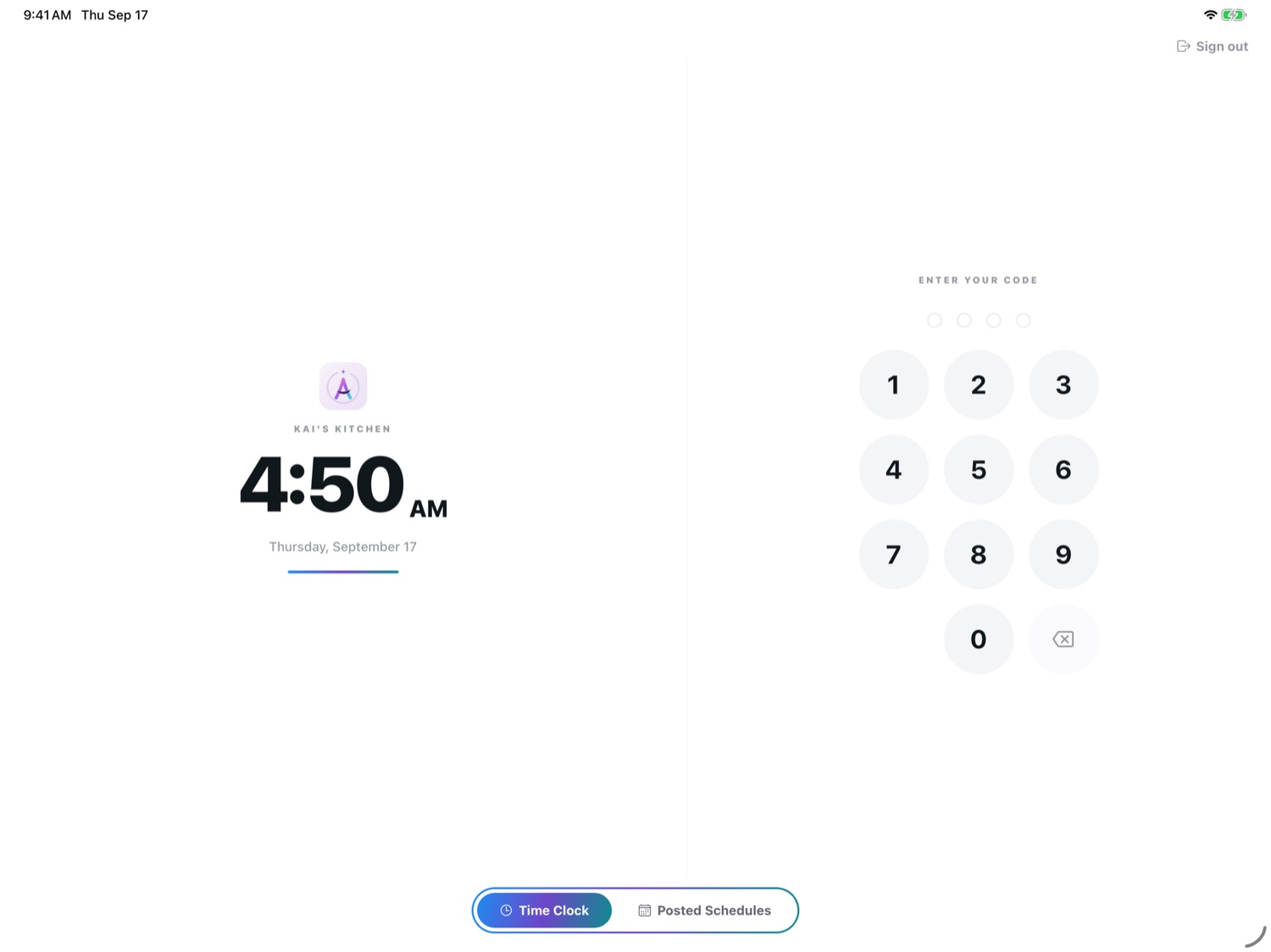
Kiosk mode
A shared iPad becomes the time clock
Staff punch in with their own code. The screen shows your logo, the time and the posted week, and nothing else.
- Each person has a 4 to 6 digit code
- It greets them by name before anything is recorded
- Leaving kiosk mode signs the iPad out
Tap to clock in
Stick a tag by the door. Hold a phone to it.
A small NFC sticker opens Shift Agent and clocks the person in. Nobody hunts for the app or types anything.
- Write the sticker from the app in a few seconds
- Clocking out always asks first
- You can make a tag tap required to clock in
Or straight from their phone
One tap in the app. You can require that they are at the store when they punch.
No signal in the walk-in
A punch made offline is saved on the phone and sent when the signal is back.
Every correction is on record
When a manager fixes a punch, the change, the reason and who made it are logged.
Payroll
Your accountant's spreadsheet, filled in
Upload their file once. Each pay period it comes back with hours, overtime and rates in the right cells, and their formulas untouched.
- Hours and overtime are added up by the system, never by the AI
- Missed punches and forgotten clock-outs are named, with a fix beside each
- Anyone you pay by hand is left blank and flagged for you
The rest of the week, in the same app
-
Open shifts
A dropped shift goes to the crew's phones. Whoever takes it confirms the day and time, and you are told.
-
Time off
Requests land on a calendar, so you see who else is away before you answer.
-
Team chat
Direct and group messages with photos, replies and pinned chats. Private to the people in them.
-
Shift logs
Build your own end-of-shift form, question by question, for managers to fill in.
-
Labor reports
Hours, overtime and cost by pay period. Ask a question about them in plain English.
-
Documents
Handbooks, forms and certificates in folders shared by role or by person.
Free for your crew
Only the owner pays. Everyone else signs in from an email invitation and sees their next shift first.
- See the posted schedule
- Clock in and out
- Pick up an open shift
- Ask for time off
- Message the team
- Check hours worked
One flat price per restaurant
Thirty days free with everything in Pro. No add-ons, and no charge per employee.
Standard
$39.99 a month
- AI schedule drafting, with $5 of AI credit each month
- Schedule grid, open shifts and time off
- Time clock, kiosk mode and tap-to-clock tags
- Clock-in records and your accountant's payroll sheet
- Team chat, notes, documents and shift logs
Pro
$89.99 a month
- Everything in Standard
- More than one location on the same plan
- Paycheck estimates your staff can see
- Extra schedule stats and kiosk standby screens